Volume Bass Booster: Equalizer2.6.2
Continue to app
Free Version
Publisher Description
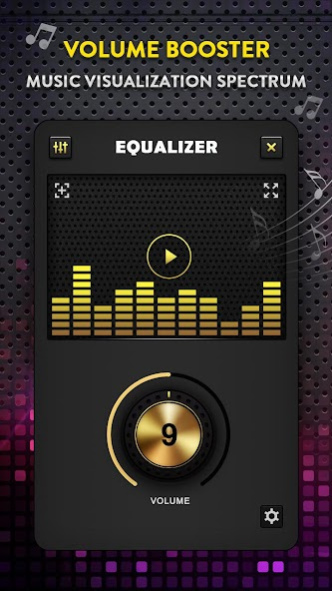
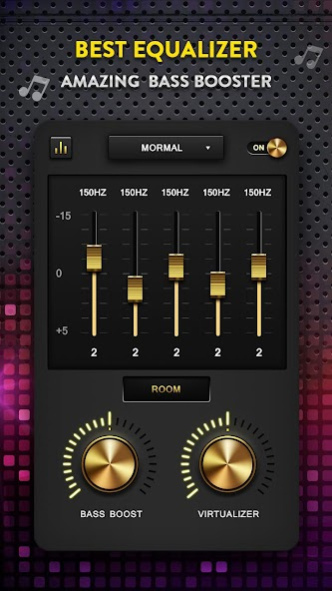
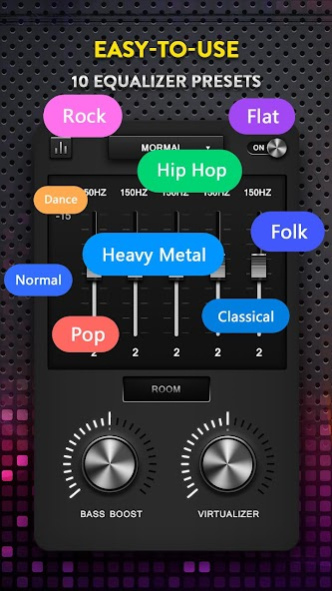
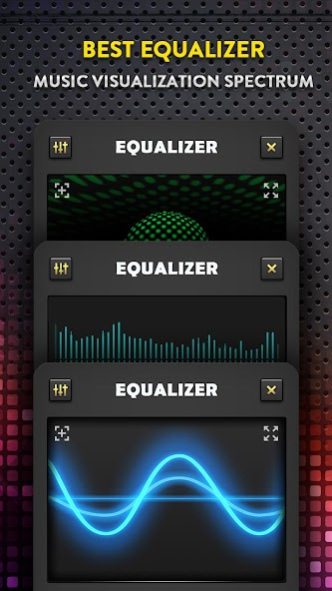
, Improve the sound quality for your android device with the true global Equalizer, Bass booster, Volume booster and Surround Sound.🎶
You can select sound effects instantly by default presets. UI and swipe feature of Bass Booster & Volume booster. It allows you to easily control music players. Use with headphones for the best results, and enjoy the unprecedented sound quality.🎼
Features of Music equalizer App🎚️🎚️🎚️
🎚️🎚️🎚️
——★★★★★——
⭐
Volume Eq
▪️ Five bands Equalizer lets you adjust sound effect levels so that you get the best out of your Music or Audio coming out of your phone.
⭐
Equalizer presets
▪️ Includes R&B, Piano, Lounge, Loud, Latin, Electronic, Deep, HeadPhones, Vocal Boost, Treble Boost, Bass Boost, Acoustic, Rock, Pop, Jazz, Hip Hop, Heavy Metal, Folk, Flat, Dance, Classical and Normal. It provides you with powerful eq and different tones. You can also edit and save Equalizer preset.
⭐
Volume booster
▪️ Media sound(music, video); notification sound; ringtone; alarm, both headphone volume booster, and earphone volume booster
⭐
Bass Booster
▪️ The most professional Bass, Thanks to the professional audio decoding technology, the bass booster will improve your sound quality to let you enjoy the best music free.
⭐
Rich spectrum
▪️ You can see the visualization of your sound or music, All the sound spectrums move according to the audio rhythm.
⭐
Shortcut for Volume Booster
▪️ Create widgets or in notification bar, just one touch to turn on/off the equalizer for your phone.
⭐
More Highlights
▪️ Virtualizer
▪️ Stereo led VU meter
▪️ Edge lighting
▪️ Works with most Music and Video Players.
⭐
Music equalizer App Installation and usage:
⭐
1. Effect On Music Or Audio
▪️ Run your Music player and play your music
▪️ Rung the Equalizer & Bass Booster app then adjust sound level and frequency.
▪️ Put on headphones for the best results
⭐
2. Effect On Video
▪️ Just like Effect on Music or Audio, adjust the sound level and frequency, then, let it run in the background.
▪️ Run your Video player and play your video
▪️ You will get a better sound effect for video
❤️ If you have any feedback about Music equalizer with volume boost app, please comment below or email to the developer. We'll always keep track of your feedback to improve and create a better Bass and volume booster app.💯
About Volume Bass Booster: Equalizer
Volume Bass Booster: Equalizer is a free app for Android published in the Audio File Players list of apps, part of Audio & Multimedia.
The company that develops Volume Bass Booster: Equalizer is Dreams Room. The latest version released by its developer is 2.6.2.
To install Volume Bass Booster: Equalizer on your Android device, just click the green Continue To App button above to start the installation process. The app is listed on our website since 2023-08-16 and was downloaded 25 times. We have already checked if the download link is safe, however for your own protection we recommend that you scan the downloaded app with your antivirus. Your antivirus may detect the Volume Bass Booster: Equalizer as malware as malware if the download link to music.volume.equalizer.bassbooster.virtualizer.gold_style is broken.
The company that develops Volume Bass Booster: Equalizer is Dreams Room. The latest version released by its developer is 2.6.2.
To install Volume Bass Booster: Equalizer on your Android device, just click the green Continue To App button above to start the installation process. The app is listed on our website since 2023-08-16 and was downloaded 25 times. We have already checked if the download link is safe, however for your own protection we recommend that you scan the downloaded app with your antivirus. Your antivirus may detect the Volume Bass Booster: Equalizer as malware as malware if the download link to music.volume.equalizer.bassbooster.virtualizer.gold_style is broken.
How to install Volume Bass Booster: Equalizer on your Android device:
- Click on the Continue To App button on our website. This will redirect you to Google Play.
- Once the Volume Bass Booster: Equalizer is shown in the Google Play listing of your Android device, you can start its download and installation. Tap on the Install button located below the search bar and to the right of the app icon.
- A pop-up window with the permissions required by Volume Bass Booster: Equalizer will be shown. Click on Accept to continue the process.
- Volume Bass Booster: Equalizer will be downloaded onto your device, displaying a progress. Once the download completes, the installation will start and you'll get a notification after the installation is finished.
Program Details
System requirements
Operating systems
Android
Download information
File size
N/A
Total downloads
25
Pricing
License model
Free
Price
Version History
Here you can find the changelog of Volume Bass Booster: Equalizer since it was posted on our website on 2018-03-06. The latest version is 2.6.2 and it was updated on Soft112 on 12 October, 2026. See below the changes in each version:
version 2.6.2
posted on 2023-08-16
* Improve performance, better experience
version 2.6.1
posted on 2023-06-15
* Adapt to Android 13 system
* Improved performance
* Fixed bugs
version 2.6.0
posted on 2023-03-13
* Improved performance
* Fixed bugs
version 2.5.3
posted on 2022-03-04
* Optimized the volume booster
* Fixed bugs
version 2.5.2
posted on 2021-12-10
* Optimized the 10 bands equaizer
* Fixed bugs
version 2.5.1
posted on 2021-05-25
* Add 10 bands equaizer for android 10 and above
* Fixed for android 11
* Fixed bugs
version 2.5.0
posted on 2021-03-10
1. Add 10 segments of EQ
2. Added sound enhancement
3. Fixed no response when clicking the inverted triangle
4. Reorganize the dialog box and click the effect to have borders
5. Fix bugs reported by users
version 2.4.0
posted on 2021-01-29
* Optimized the notification
* Fixed bugs
version 2.3.9
posted on 2020-11-30
* Support more languages
* Fixed bugs
version 2.3.8
posted on 2020-08-28
* Fixed bugs
